Navigating the Financial Aid Student Portal (NetPartner)
Access your NetPartner Portal (https://netpartner.cia.edu)
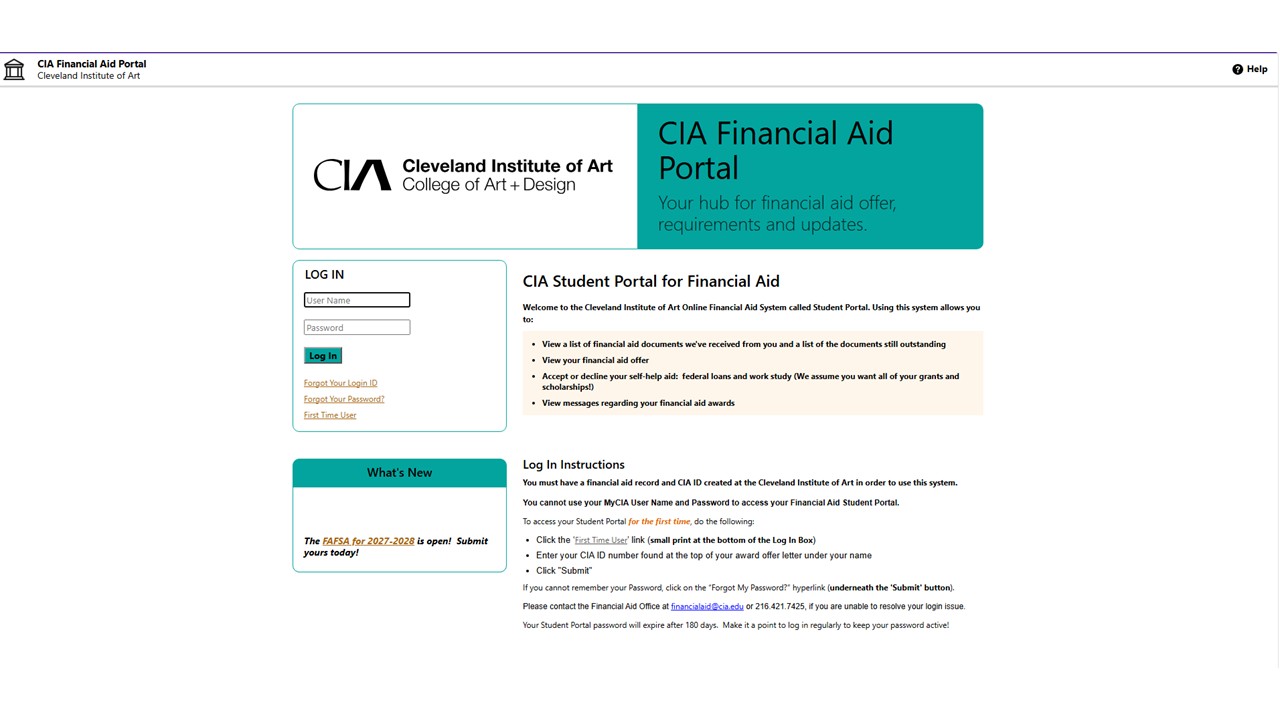
- Click First Time User.
- “Activate Your Account” by entering your CIA User ID as your username and submit.
- Follow the prompts to update your login information.
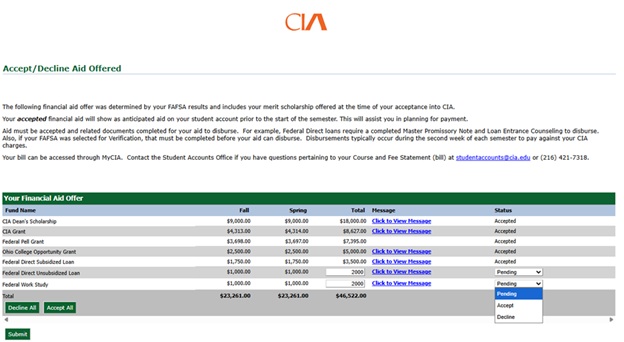
- From the Home page, click on the Menu in the upper left corner.
- Select the Accept/Decline Aid Offered from the dropdown.
- Update the Pending Status for the Federal Student Loans and Federal Work Study to Accept or Decline offering.
- Click Submit to save and update.
The Home Page
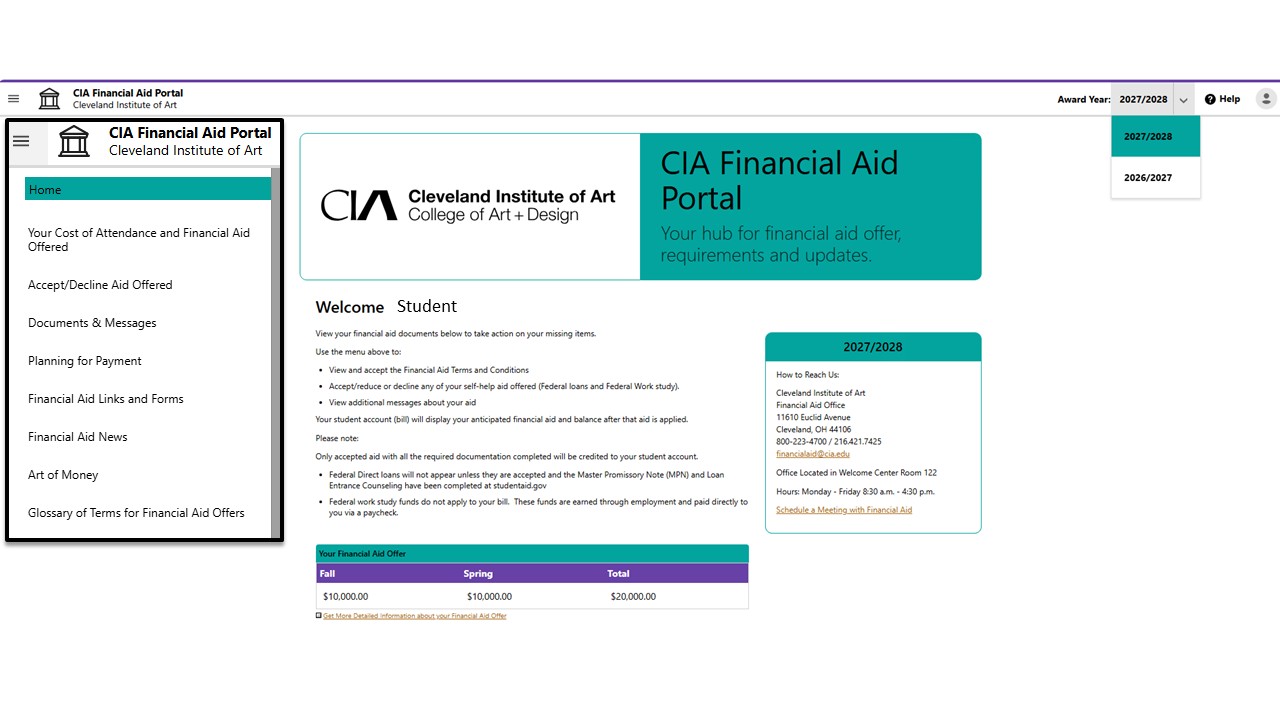
Returning Students can toggle between multiple Academic Years in the upper left side of the page. Make sure the correct Award Year is selected.
The three (3) horizontal lines on the upper right side expand a navigation menu. Some of these links will also have summary tables and hyperlinks further down the Home Page
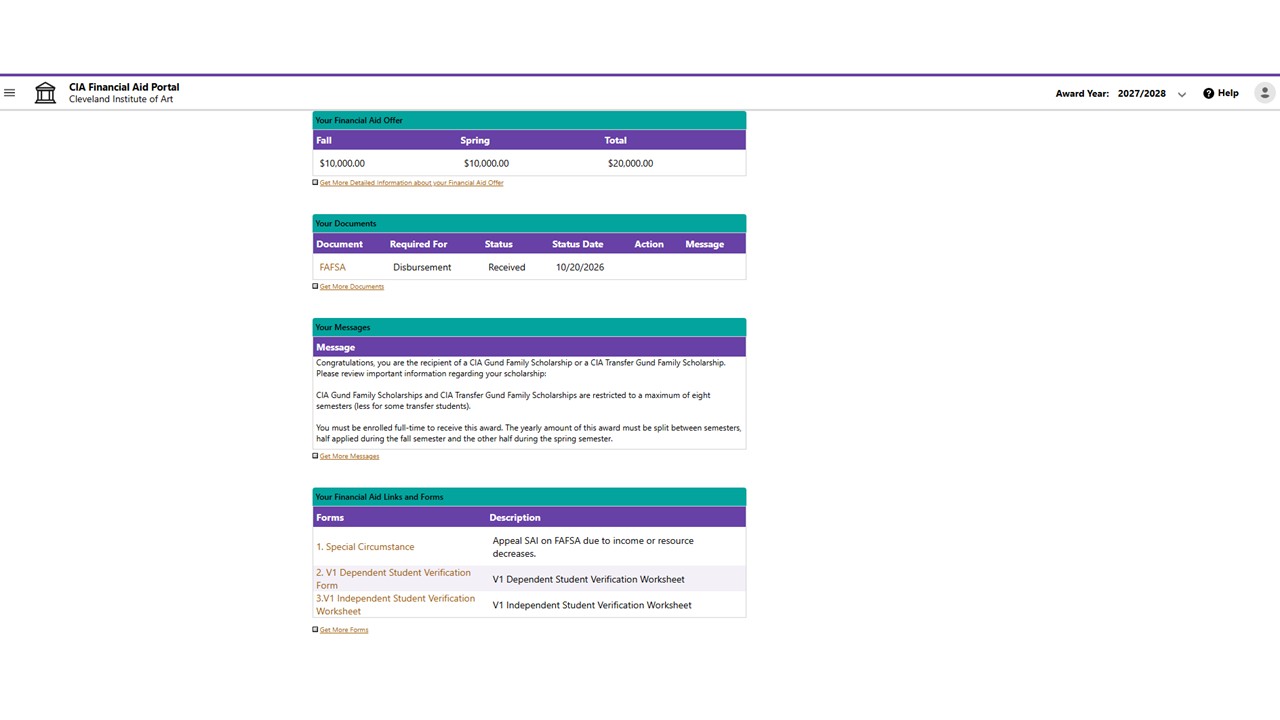
Summary Tables on the Home Page:
Your Financial Aid Offer
Your Documents
Your Messages
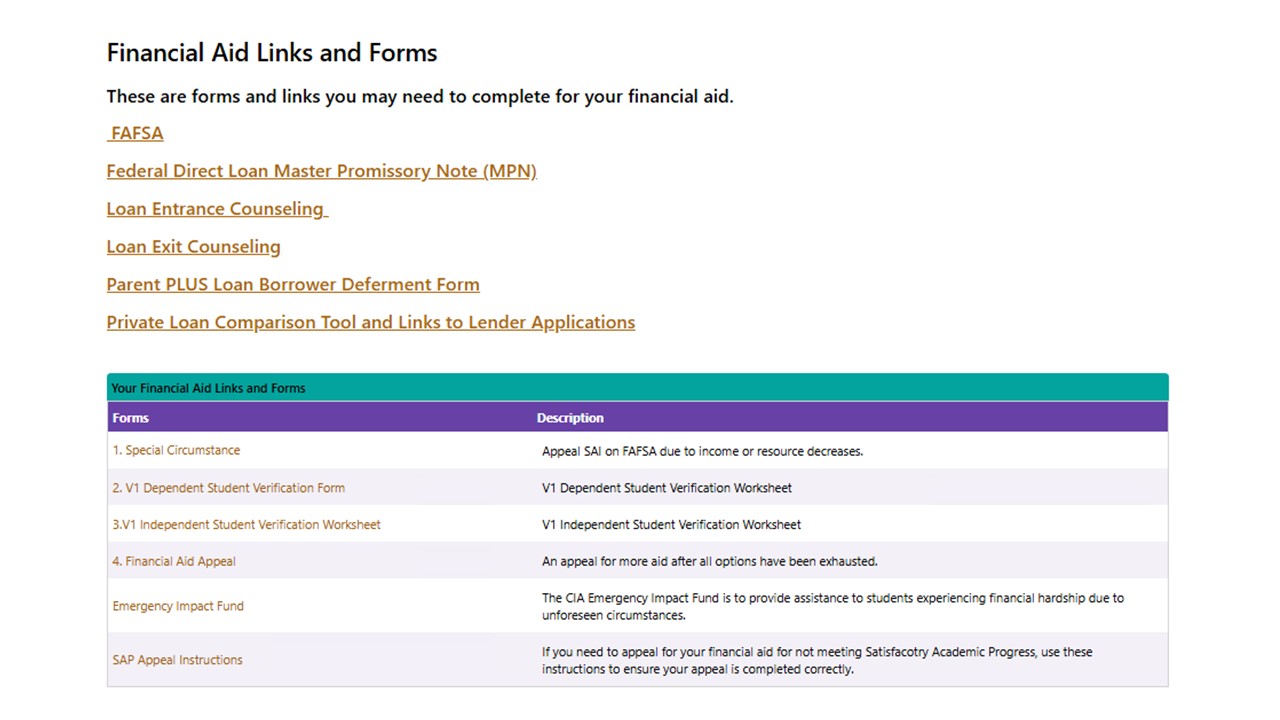
Your Financial Aid Links and Forms
Navigation Menu
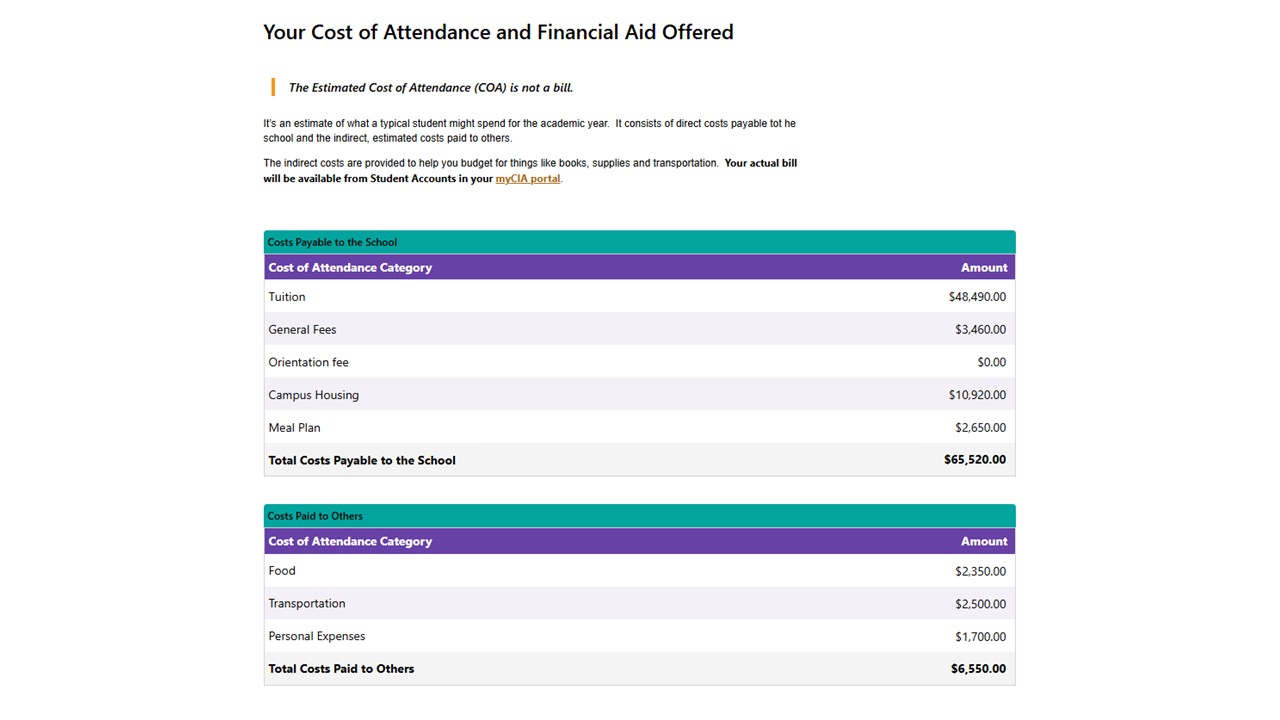
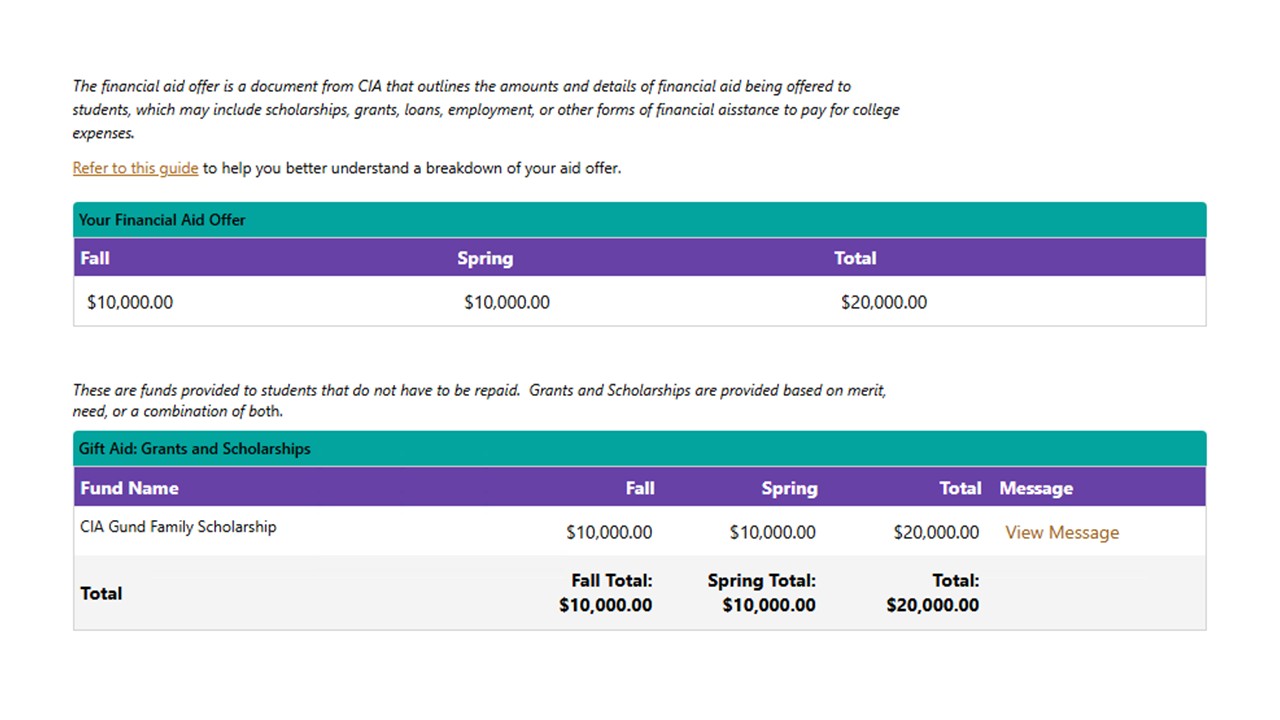
Your Cost of Attendance and Financial Aid Offered
Accept/Decline Aid Offered
Grants & Scholarships are automatically accepted.
Federal Student Loans and Work-Study will have a Pending status. No action will be taken on these items until a student selects and submits a decision on the offering.
Student can Accept the loans and work-study at the total yearly amount offered or specify a lower amount. The adjusted total amount will then be split equally between fall & spring terms. Once accepted, next steps will be provided in Documents & Messages.
If a student selects Decline, but later changes their mind, they must contact the Financial Aid office.
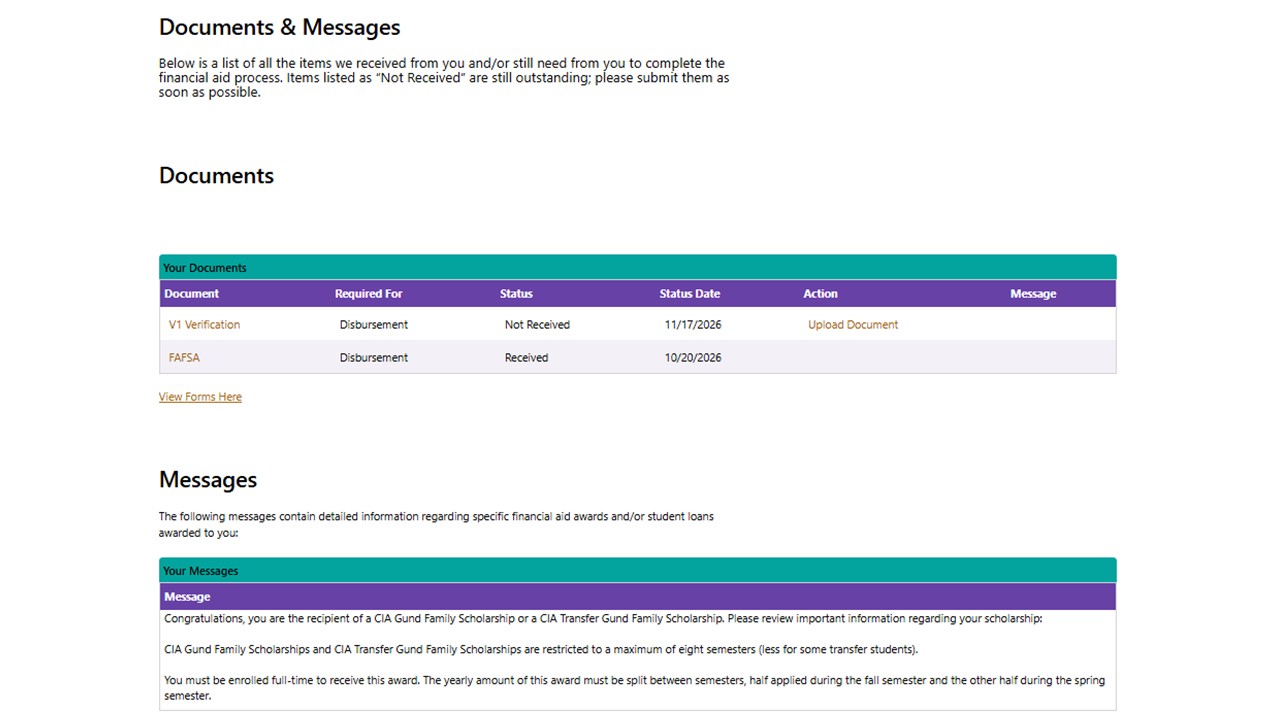
Documents & Messages
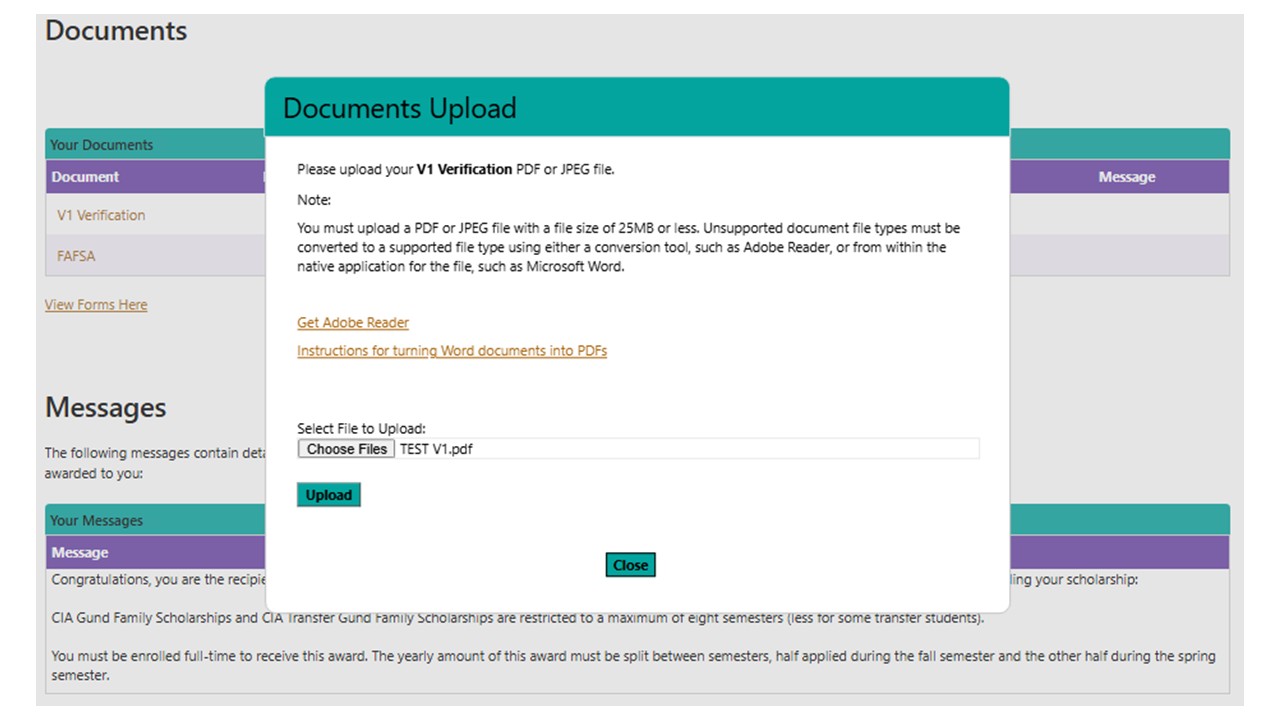
Documents
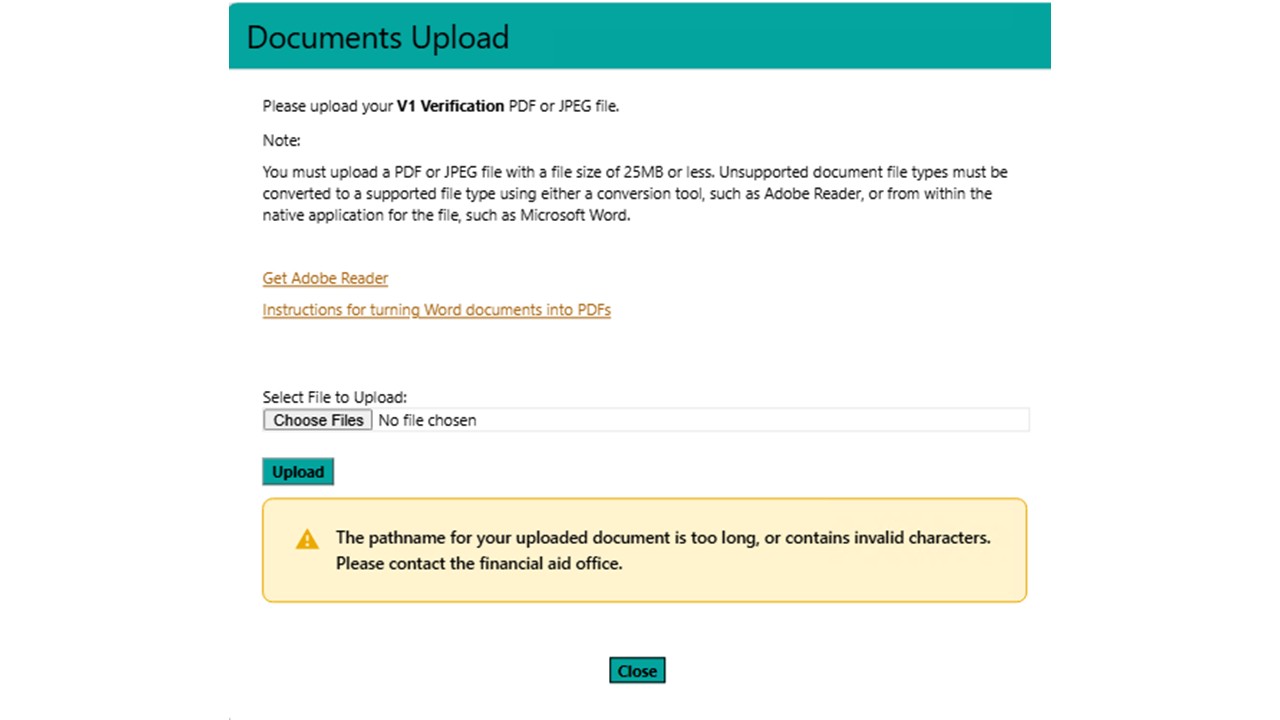
The status of a student's FAFSA are provided. If selected for additional items, details will be provided on what it is, why its needed and how to upload or send to financial aid to satisfy additional requirements.
Messages
This space provides details on your awards, including terms and conditions like minimum GPA and enrollment requirements.
Planning for Payment
This page contains important details, such as dates for when bills are due, how to set up a payment plan, how to calculate a monthly payment plan and use of the federal parent PLUS Loan. Contact information for Student Accounts is provided.
Financial Aid Links and Forms
Financial Aid News
This page provides resources for external scholarship opportunities. Federal and state updates will be also be posted here. Any offers that come through the Financial Aid office will be posted on this page.
Art of Money
This page contains financial literacy tools and resources to help students and families control money matters outside of financial aid.
Glossary of Term for Financial Aid Offers
This page provides definitions for the language typically contained on financial aid offers. These terms are also posted publicly here.