Access Financial Aid Student Portal (NetPartner)
Access your Net Partner Portal (https://netpartner.cia.edu)
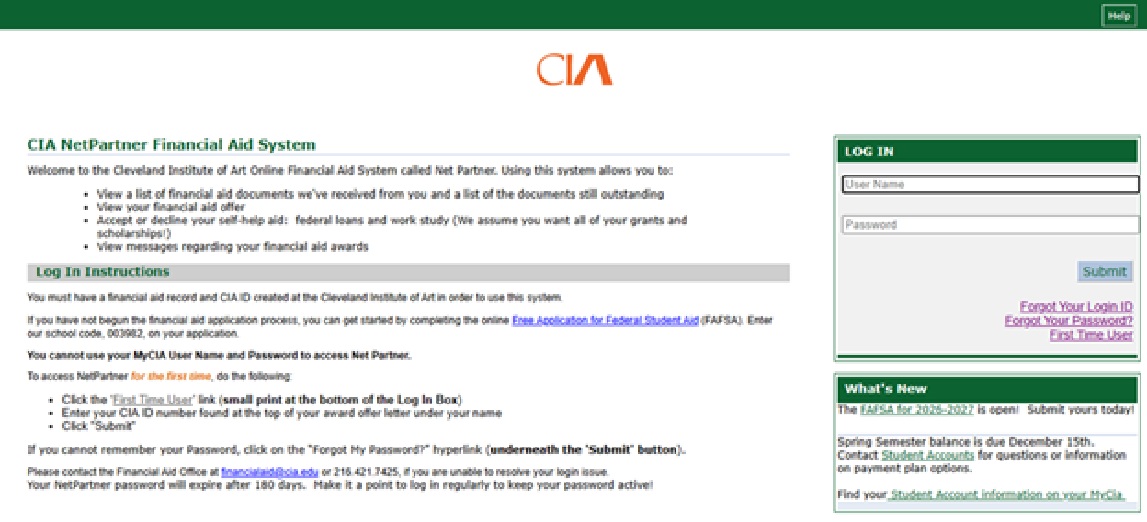
- Click First Time User.
- “Activate Your Account” by entering your CIA User ID as your username and submit.
- Follow the prompts to update your login information.
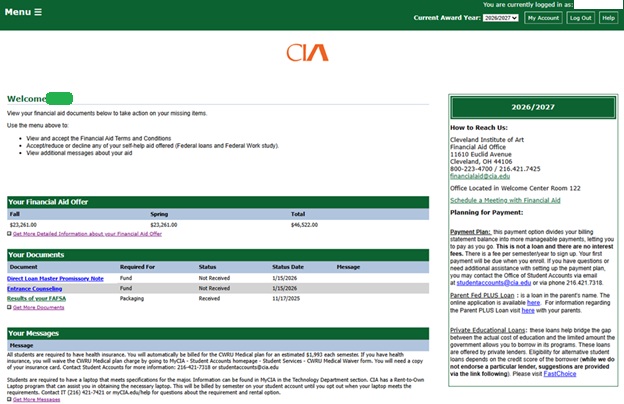
- From the Home page, click on the Menu in the upper left corner.
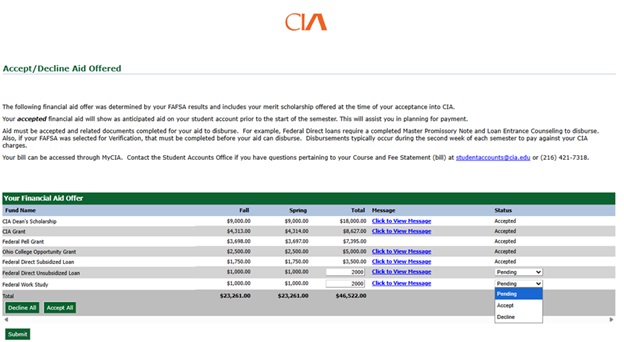
- Select the Accept/Decline Aid Offered from the dropdown.
- Update the Pending Status for the Federal Student Loans and Federal Work Study to Accept or Decline offering.
- Click Submit to save and update.