https://my.cia.edu/ICS/Departments/Safety/CIAlerts.jnz
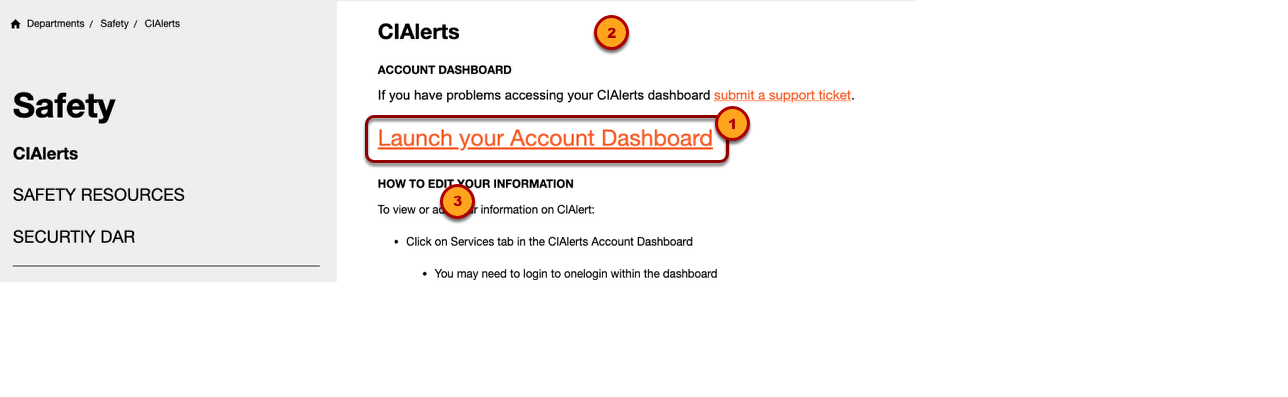
Using your web Browser of choice, navigate to https://my.cia.edu/ICS/Departments/Safety/CIAlerts.jnz
There is no need to log into myCIA to access your CIA Alerts account.
- Launch your account dashboard
- Login with your CIA login credentials
CIA Alerts Account Dashboard
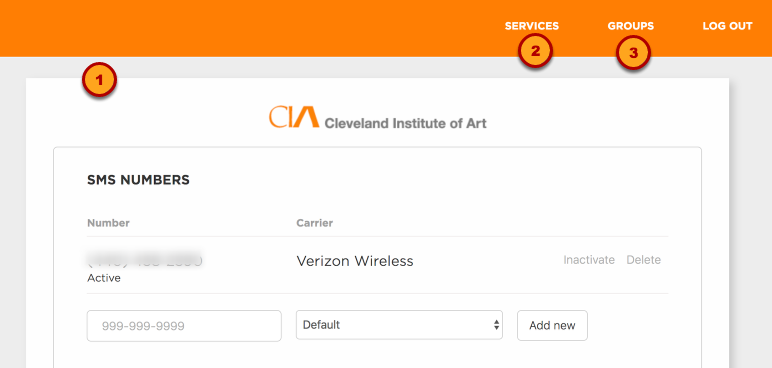
Your account dashboard has two tabs
- "Services" lists current email addresses and phone numbers. Email addresses and phone numbers are entered or edited here.
- "Groups" displays the groups to which you belong as well as those to which you may subscribe.
CIA Alerts Services Tab
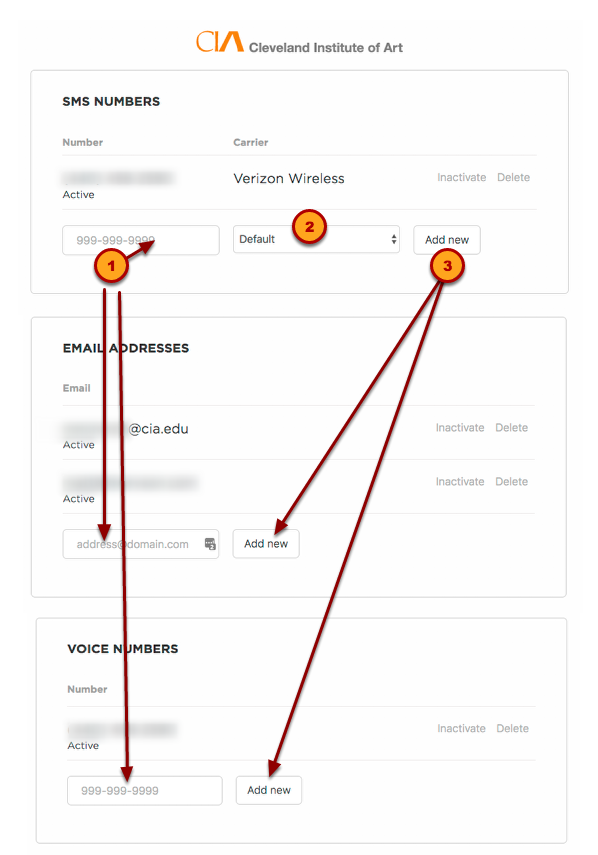
- Add an additional phone number or email address.
- Choose the Carrier
- Click button to submit the addition.
Validate New Service information
SMS (TXT) Numbers
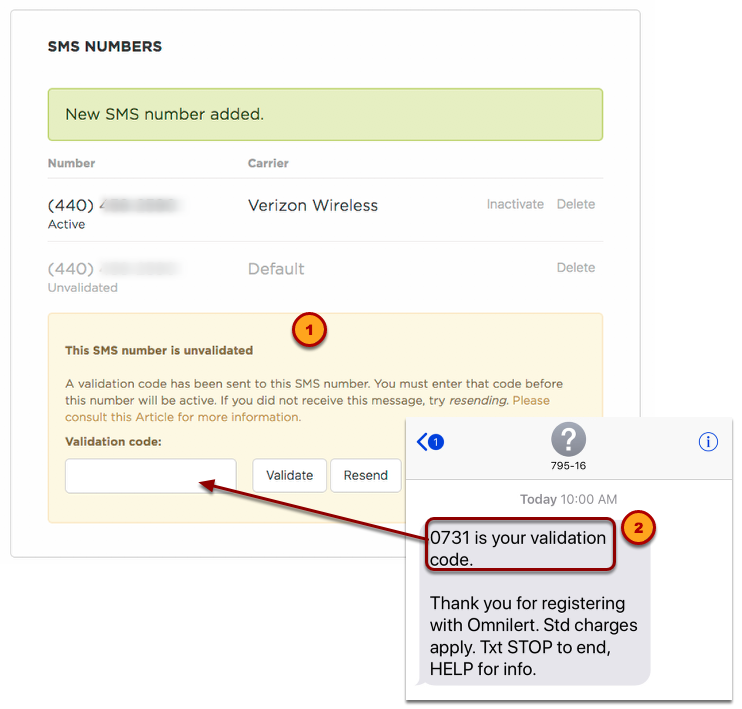
- New service information will need to be validated.
- SMS (TXT) numbers will be sent a validation code. Enter the code received and press validate.
Email Addresses
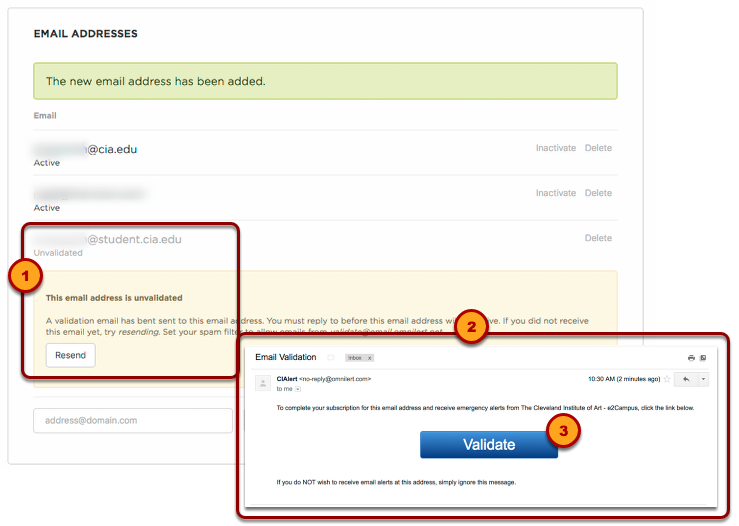
- New email addresses will need to be validated
- Email addresses will receive an email containg a validation link.
- Open the email and click "Validate" to activate the new email address.
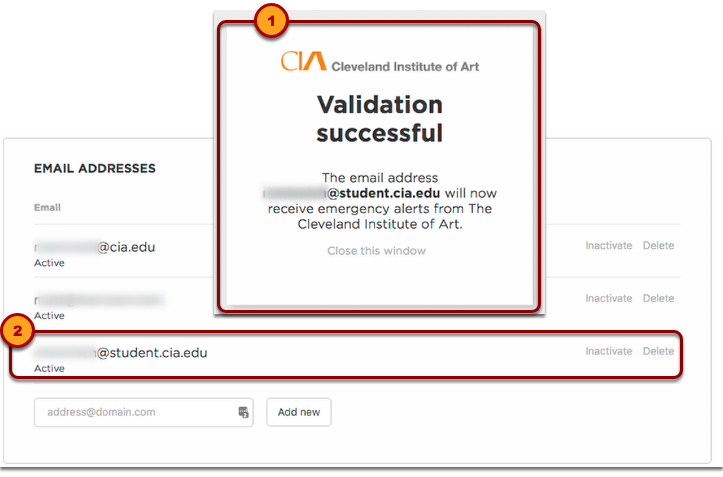
- A confirmation message will appear in the web browser
- The new email address will be marked as Active
Voice Numbers
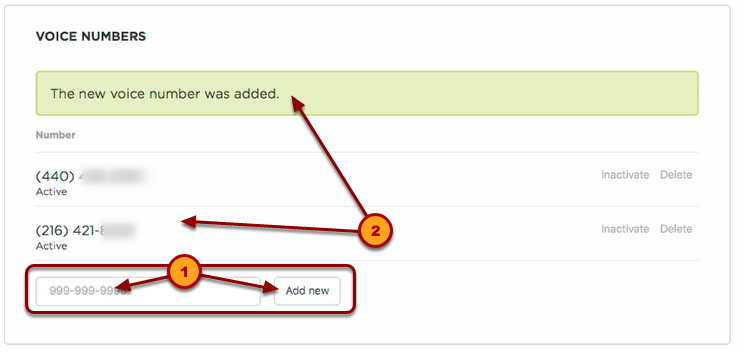
- Add a new Voice Number
- Voice numbers are added with no need for Validation.
Delete or Deactivate a Service
Deleting a Service
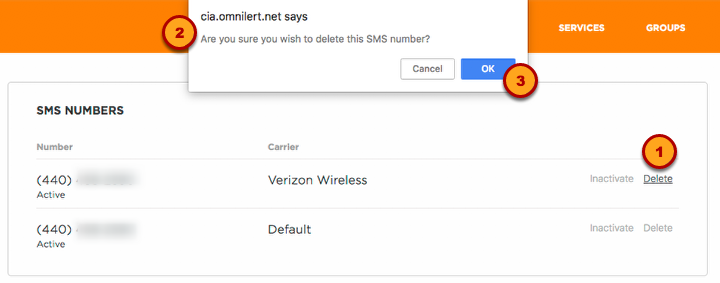
Deleting a service removes it completely from the subscriber account.
- Click "Delete"
- Note that the confirmation message does not state the exact service to be deleted. Make sure you are deleting the desired service.
- Click "OK" to delete.
Making a Service Inactive
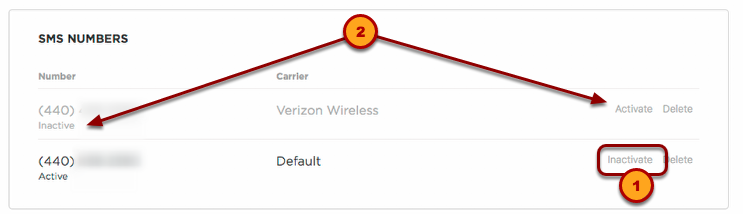
Making a service Inactive does not remove the information from the subscriber account. It may be reactivated at a later time if desired.
- Click "Inactivate." There is no confirmation window
- The service simply becomes Inactive with an option to "Activate" or "Delete"